

Last updated: March 2026
Access the commit code diff dialog from the following locations:
-
View a commit on the Repository Browser Commits tab via GitKraken integration.
-
On the Compare results screen of the Repository browser, click a file on the Roll Up tab.
-
Go to Jira Administration ➜ Projects. Select a project. Click Git Commits on the sidebar. Click View full commit on a commit panel.
-
Click Open in GitKraken on the commit panel to open the commit in the GitKraken git client app.
-
Click a file or its adjacent weblink on the commit panel to open the commit in your remote git host service.
-
Open an issue. Click the Git Roll Up tab, then click a file name under Files.
-
Open an issue. Click the Git Commits tab, then click a file name or click View full commit.
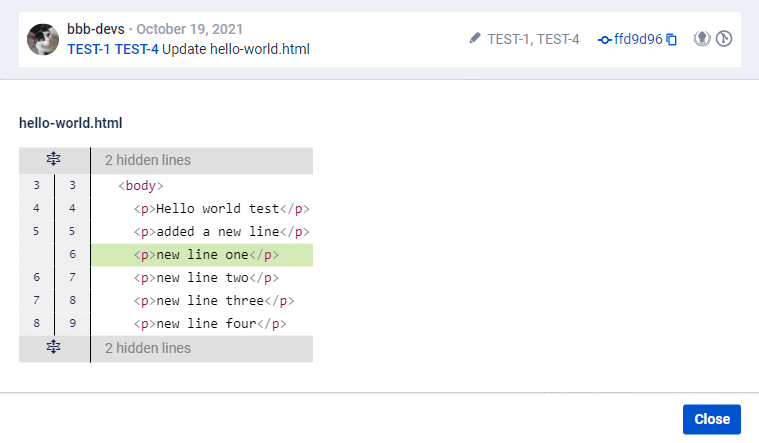
Each click on the # lines hidden label expands up to 20 lines of code in that section.
